
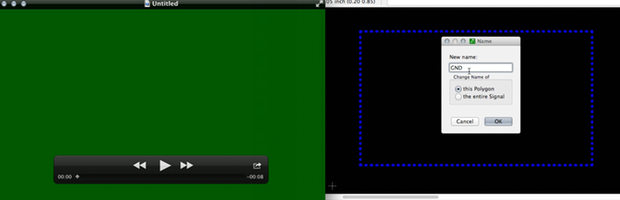
After spending too much time waiting for effects to render on my new AddOhms Tutorialcast, I decided it was time to upgrade computers. When I went to capture a quick EAGLE video on my new MacBook Pro with Retina screen, I realized a problem with the Mac’s auto graphics chip switch. Quicktime recorded only a green Screen.
Architecture
The MacBook Pro Retina has two graphics processors. One is built-in to the Intel CPU while the other is an external chip with significantly more processing power. When on battery, I usually let the computer decide which need it needs to (hopefully) maximize battery life.
Note that I am using the phrase “graphics chip.” It really bugs me when people refer to discrete GPUs as “graphics cards.” They aren’t cards. They’re chips.
The Problem
As it turns out, certain applications (like Quicktime–a video focused application) forces the external chip into use. Which is unfortunate because using the QuickTime “Screen Capture” feature means that your screen captures turn out like the image above: a blank Green Screen. (Note: I tried a couple of versions of the third party app iShowU and it had the same issue.)
FYI, iShowU is what I generally use for capturing video for my tutorials.
The Solution
While looking at a couple of web forums, two things stuck me: 1) others have the same problem and 2) nobody had found a solution. Fortunately the few minutes you can’t use electronics during a plane’s take-off gave me time to think about what could be causing the problem. I wondered if it might be related to this switchable graphic chip stuff.
Once I was able to turn on in-flight WiFi, I downloaded “gfxCardStatus” from gfx.io. This menubar utility has two main functions. First it gives you a nice Menubar icon to let you know which chip is currently being used. It also allows you to force which chip is use. Despite Apple’s recommendations, I decided to give it a shot.
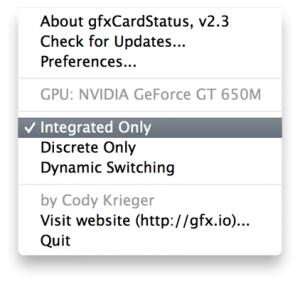
Forcing my MBP-Retina to use the internal chip (in my case Intel HD GPU 4000) I was finally able to record video.