
Quick timelapse video of Bright Bricks building a life-size BB-8 unit. Surprising to me was that I always imagined these builds solid with LEGO pieces. Turns out, they are built an internal structure, which makes more sense really. Either way, watching this short LEGO BB-8 build is fun.
IoT (n): Internet of Things
- Things that connect with the internet, to share information.
- Devices that communicate with each other.
- No wait. Nothing does. It’s the Internet Of Nothing!
It continues to amaze me how few Internet of Things (IoT) devices actually communicate with each other. Isn’t Internet connectivity suppose to make it EASIER for things to talk? Computers have been communicating with the Internet for 45 years. Why can’t Light Bulbs from two manufacturers do it?
At some point someone has to come along to “fix” this situation. What is that solution going to look like and how much longer do we have to wait? Let’s get out of the HealthKit era of things talking to each other.
One of the common questions related to using the millis() function in Arduino, is around timed events. After an event occurs, you want the code to wait for some time before doing the next step. But you don’t want to stop the program with delay().
[featured-image link=”https://www.baldengineer.com/use-millis-with-buttons-to-delay-events.html” single_newwindow=”false”]In this example, we will use millis() to wait a few seconds after a pushbutton press to turn on an LED. Then a few seconds later, we will turn it off. All without using delay().
Understanding millis()
The Arduino millis() function will let you accomplish this delayed action relatively easily. First, read through my multitasking with millis() tutorial and then look at some of my millis() cookbook examples I’ve already posted. Getting used to seeing this kind of code will make this line by line tutorial on timed events using millis() easier to follow.
As 2015 wraps up, I took a look at baldengineer.com’s traffic for the past year. Here’s some of the most popular stuff from my blog, in case you missed it.
Everyone with a blog looks at their traffic numbers. For me, traffic data provides feedback on what tutorials or posts are helping people most. Each year, the traffic to my blog grows at ridiculous numbers. As someone with both an engineering and marketing background, I find the numbers impossible to believe.
Thank you to everyone who reads, shares, and comments the stuff I create. Those of you on the mailing list, I appreciate the interaction we have there, please keep writing in!
Check out these posts if you didn’t catch them the first time.
What makes the Raspberry Pi so attractive? At $35 it is an unbelievable value for a single board computer. Since its introduction, a price race to the bottom has begun.
The C.H.I.P. claims to have started shipping the $9 computer. Which, many pointed out, doesn’t cost $9 once you add things like support for display. I would like to point out, I was an early backer and have yet to receive one.
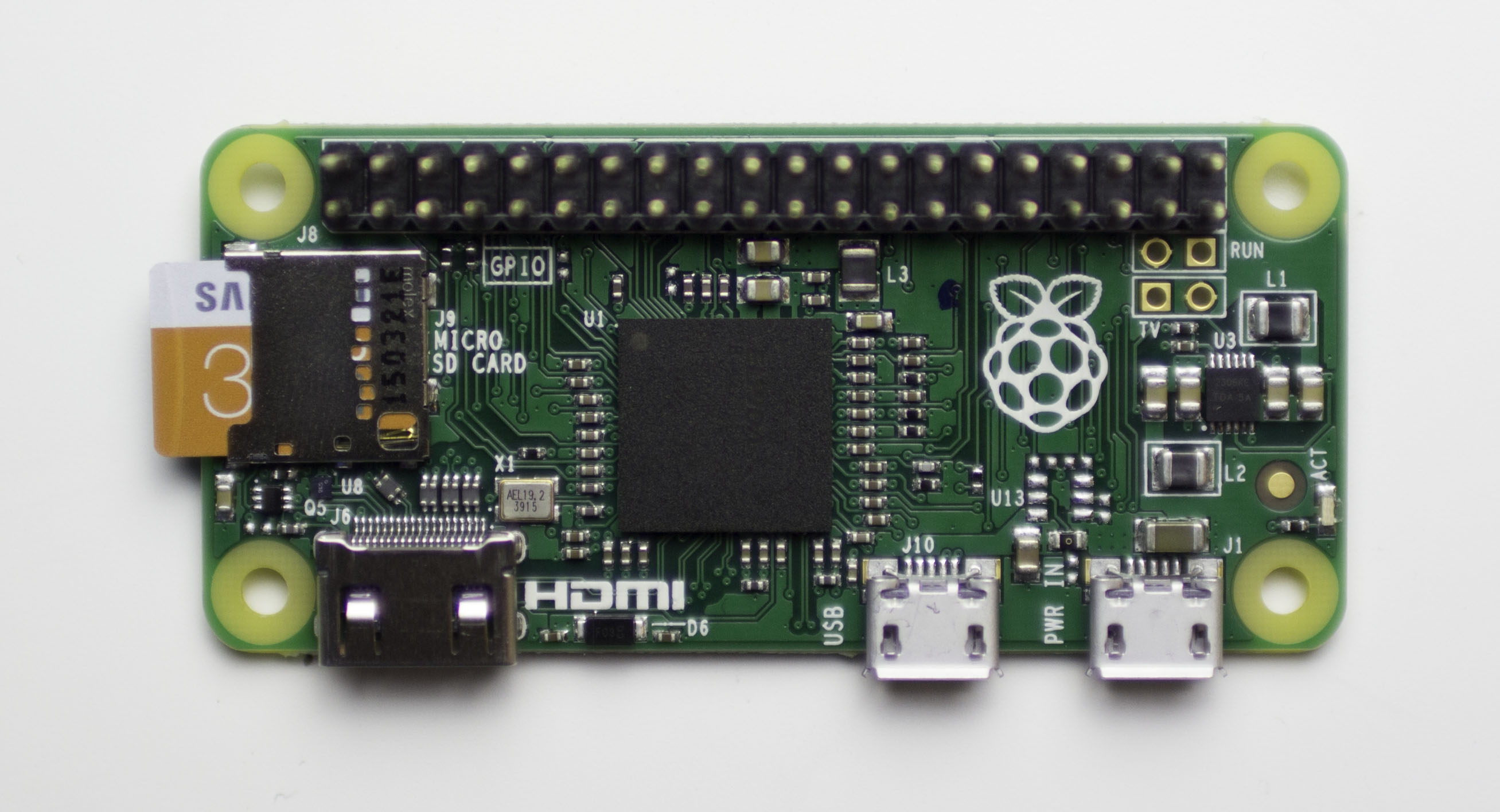
The Raspberry Pi B and B+ were fantastic additions to the Raspberry Pi family. Each extended the capabilities while keeping the cost low. The most recent addition is the Raspberry Pi Zero.
The Raspberry Pi Zero has the same processing capabilities as its predecessors and only costs $5! Does that make it a slam dunk? Well, here’s a few applications to help decide if the size-reduced bare board is worth $5.
