Category

Tutorials

Category

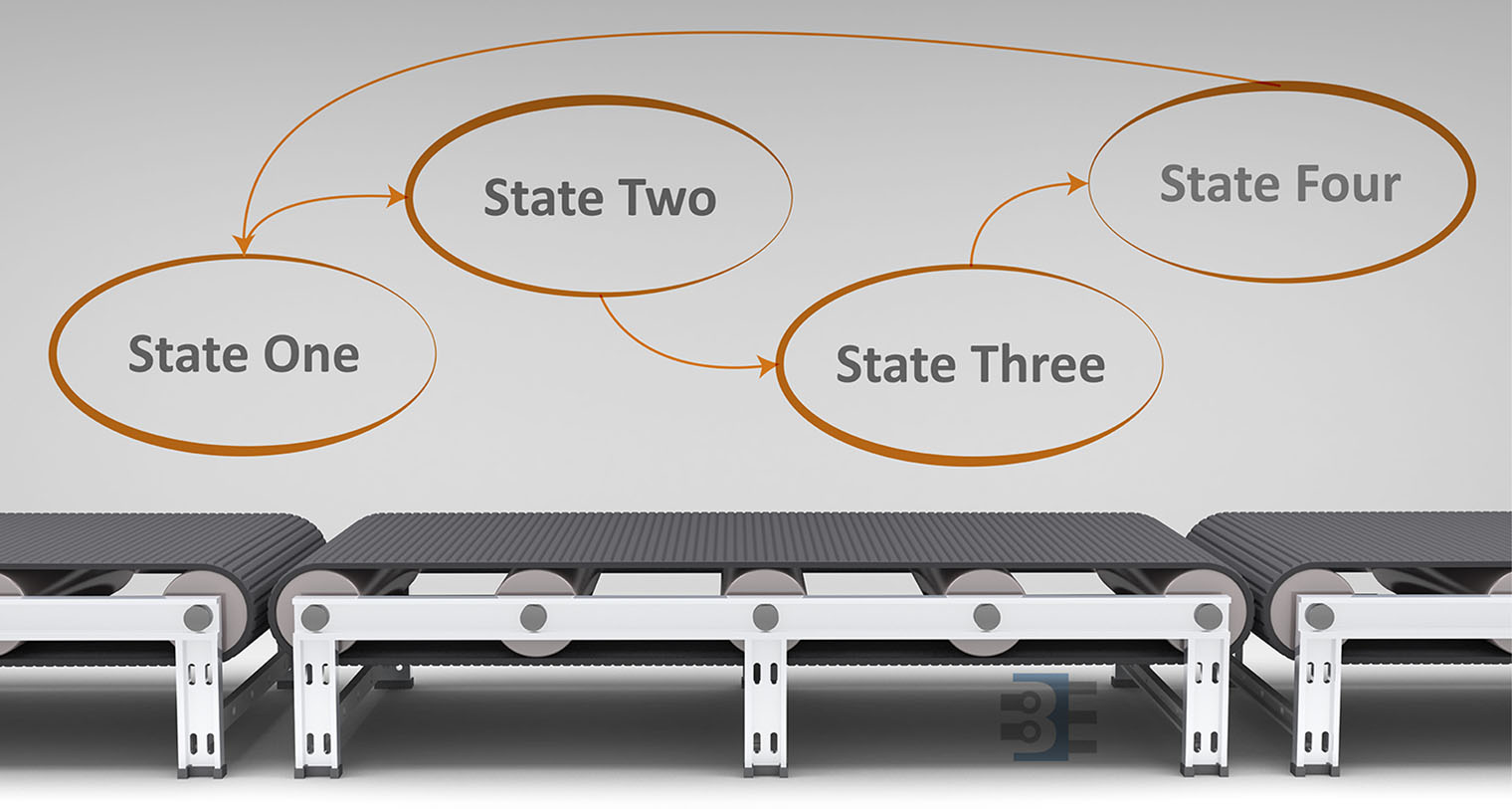
Previously I looked at the hardware needed to build a Raspberry Pi soft power supply. This week I’m looking the state machine for the microcontroller. Why is such a complicated circuit necessary? I am replacing a Super Famicom (SNES) motherboard with the Pi. The trick is, I want to use the original power switch to turn the Pi on and off.

This requirement presents a problem. When the switch goes into the “OFF” position, power needs to stay on long enough for the Pi to properly shutdown. So the switch itself can’t provide power to the Pi directly. With minor changes, the code in this state machine could be made to work with push buttons as well. If I add that feature in the future, I’ll update the code on the RPSPC GitHub project.

Before continuing with the state machine, first I need to thank all the mailing list members. You guys really rock. When I asked for state machine diagraming tool suggestions, you guys sent me enough options for an entire (future) post to compare them. 
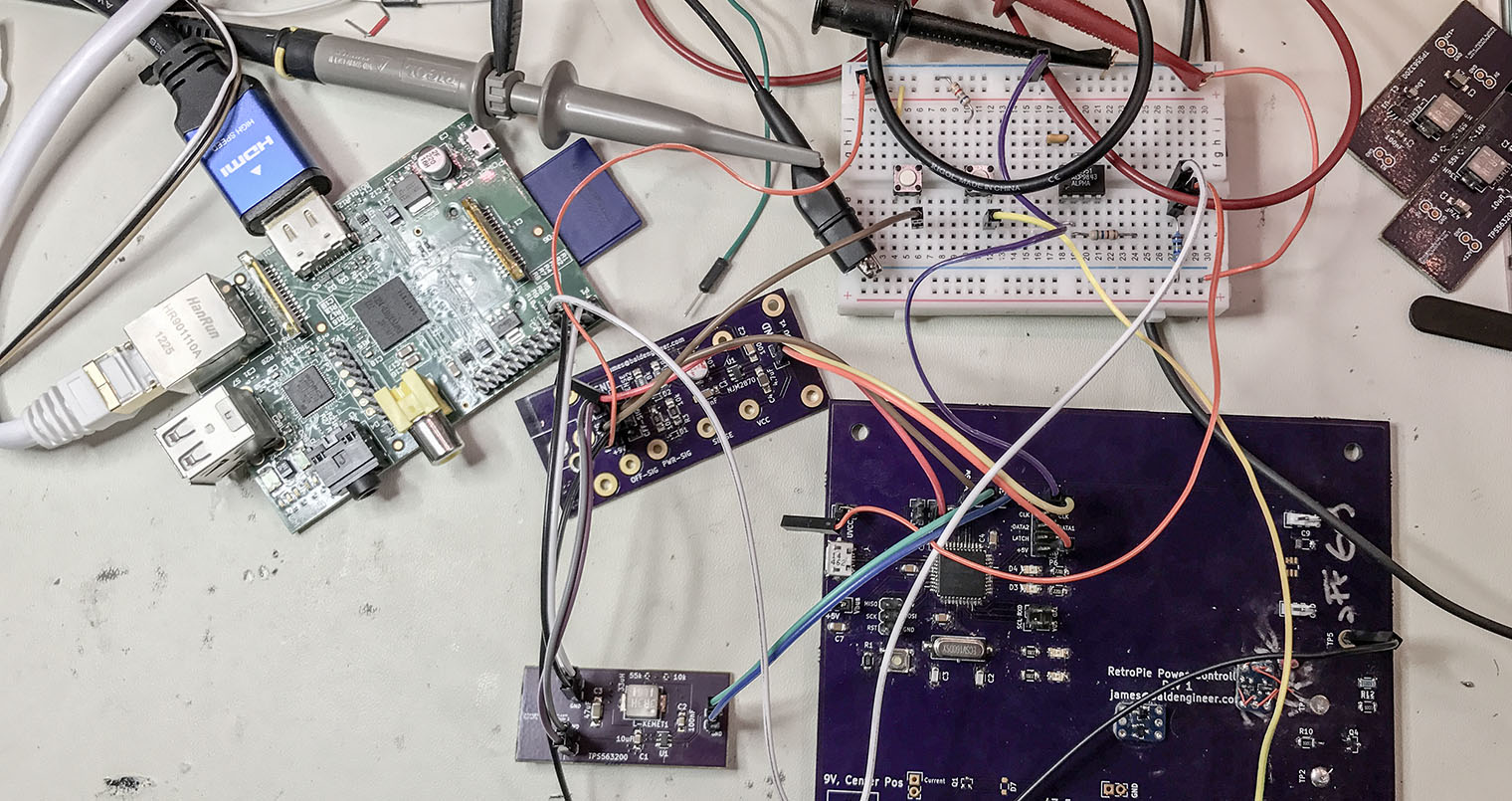
The RetroPie project enables retro-gaming with a Raspberry Pi. All of the Pi models have enough computing power to emulate the major 8-bit and 16-bit computers of the 80s and 90s. With the Pi 3 I have even been able to play PS1 games with no problem. My current project is to put my Raspberry Pi running RetroPie into an old Super Famicom (SFC), or SNES, case. The catch? I want the original SPST power switch to work. And by work, I mean allow the Raspberry Pi to shutdown properly when the switch goes into the off position.  To accomplish this task, I am building a Raspberry Pi soft power controller.

Raspberry Pi Soft Power Block Diagram

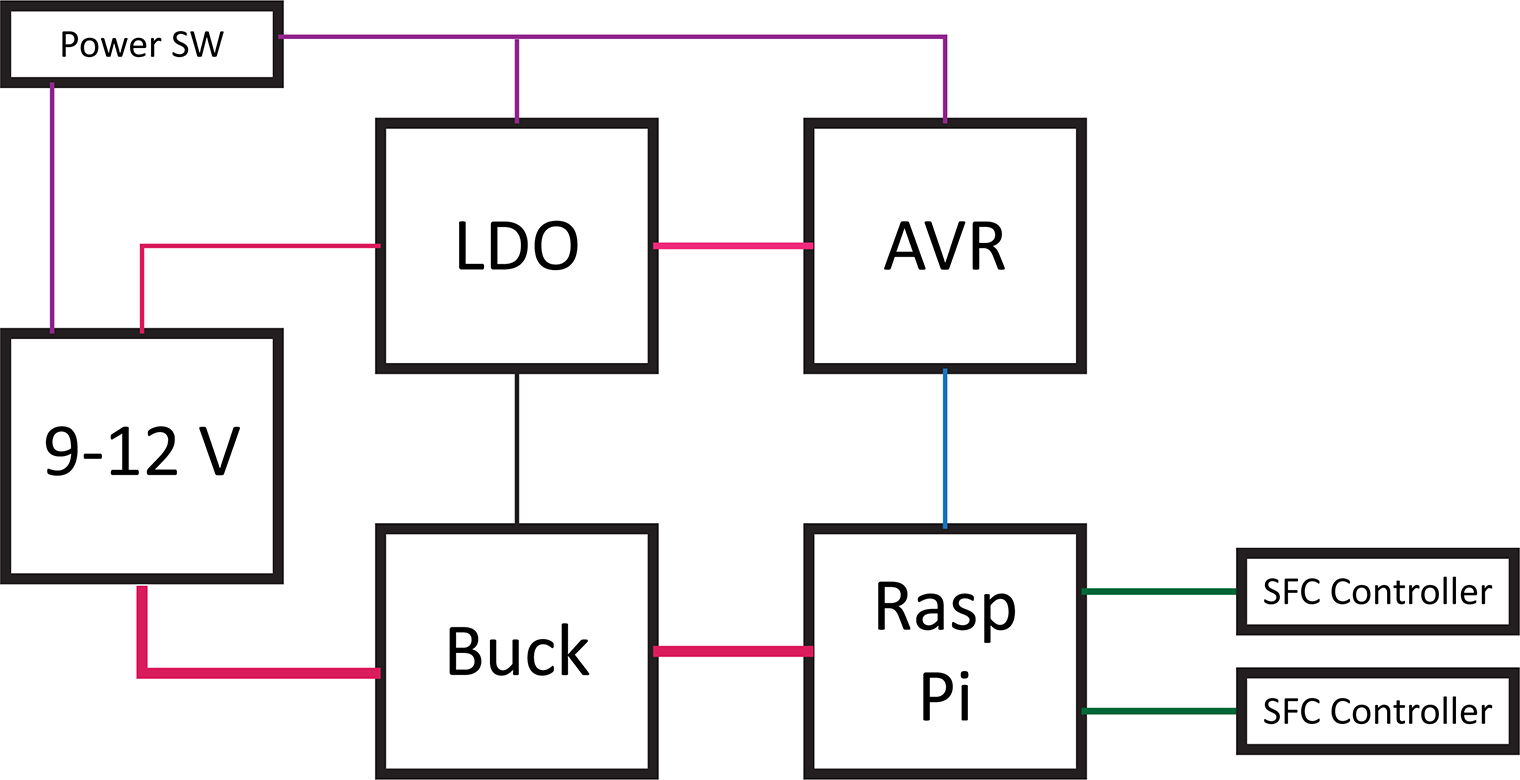
Here’s a block diagram of the power controller. The basic blocks in a Raspberry Pi soft power controller include the LDO, a switching supply for the Pi, an AVR-based microcontroller, and the Raspberry Pi. This post will describe each of these hardware blocks.

One design objective was to draw as little current as possible when off. For my RetroPie, I will not be running on battery. However, I do not like the idea of wasting energy when something is turned “OFF.”

This overview is a multi-post write-up. This first part is on the hardware. In the next post, I will explain the AVR’s firmware. Later, I will come back to the Raspberry Pi side of the project.

Last week’s post was on Project Sharing Sites. I’m using two for this project. Hackster.io will host the build log while GitHub has all of the design files. And by all of the file I mean the schematics, firmware, laser cutter files (soon), and Raspberry Pi code.

Hackster.io Project Page   GitHub Repo

Sharing is the maker community’s foundation. When you share projects with others, you contribute to the community. In the past, you might just post your project on a personal website. Today there are many options to share projects.

This weekend I “finished” my reflow oven controller, Open Vapors. Believe it or not, five years ago there were not a bajillion similar projects. In fact, I based my design on the only completely open source project I found. It is a reflow oven controller Arduino shield from Rocket Scream.

After completing my controller, I was excited to share the project. Then I started to think about where to post the files. Obviously, here at baldengineer.com is one option. But I wondered. Is there a better place where others could benefit from my work?

This post is a few notes on the platforms used to share projects. At first, these might seem like they all serve the same purpose. From a high level that is true. However, there are small differences that you should consider when you share projects with the open source hardware community.

To detect a short and long button press using millis can give your project more functionality without adding more buttons. In this line-by-line example, I show how to react to a user pressing a button for a short period (100ms) or a long period (over 500ms). My example changes the blink rate of an LED on short presses. A long button press turns off the LED.

In the code, I make use of a struct so that a single variable can be used to track multiple parameters. The benefit of this method is that adding multiple buttons is easy. You could create an array of these tyepdef’d variables.

Download At GitHub

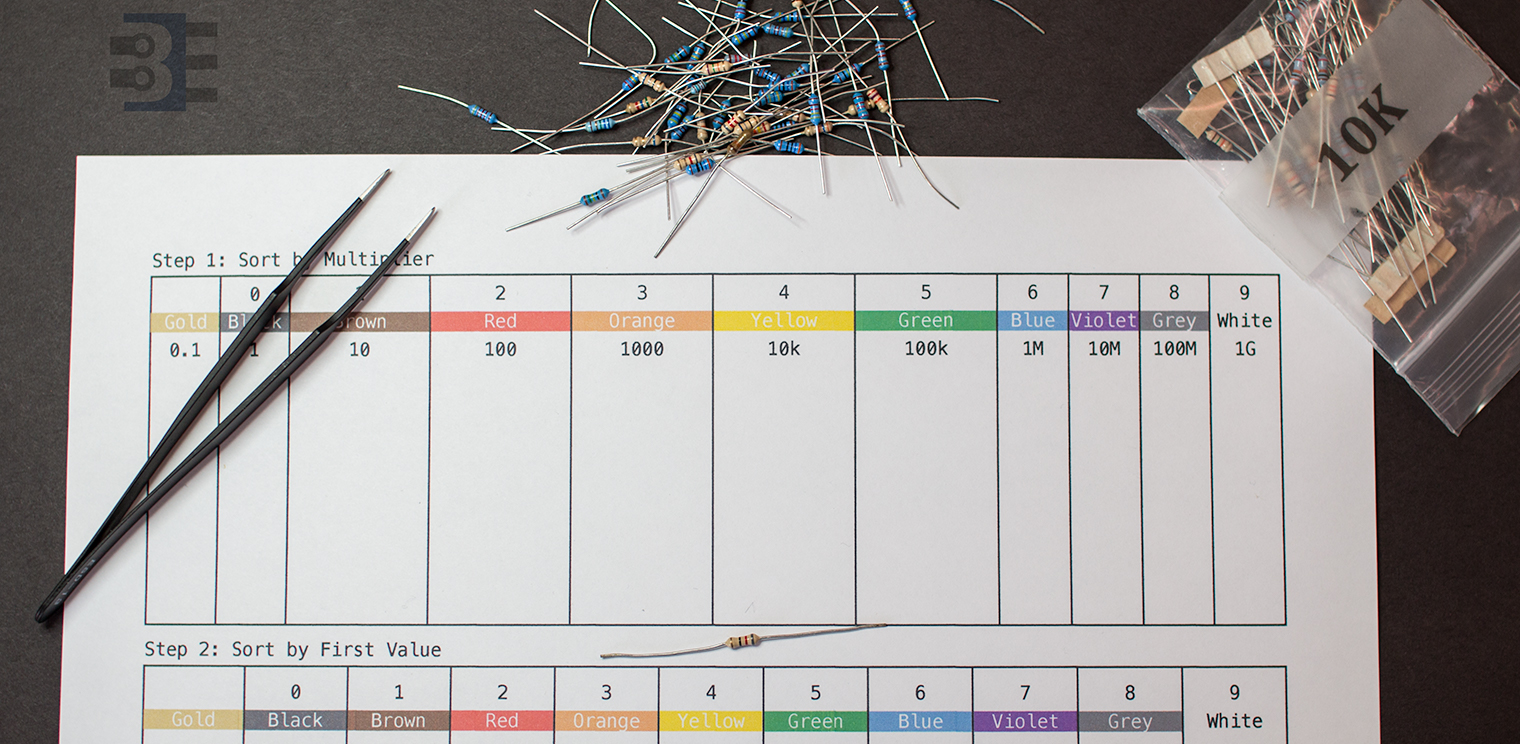
When you buy a grab bag of components, you might need to tackle sorting resistors. Here’s how I sorted some bags of random resistor assortments last week.

Objectives

Then method I use for sorting resistors achieves these objectives:

  1. Fewer Bins. It doesn’t take long to create a large matrix of resistor values. My resistor sorting method is relatively compact.
  2. Quick to find. When I’m building up a circuit, I don’t want to spend time sorting through a pile. Once I know the value I need, I find a single package and then look for a single color band.
  3. Works with 4-band and 5-band resistors. Let me be upfront: I *hate* 5-band resistor color codes. While the 5th ring is supposed to be slightly offset, or wider, or a different type of color; it doesn’t matter. It’s nearly impossible to tell read a 5-band resistor color code when they are in a pile. However, using my method for sorting resistors, it doesn’t matter if I’m looking at a 4-band or 5-band resistor. I can immediately identify the resistor value.

Based on #3 alone, you might be wondering what is the fantastic method (and how much will it cost to get it!) Here’s the basics of my method for sorting resistors. (For FREE!)