
In the mood for some retro game music? Check out D Wave’s YouTube Channel for a fresh take on some retro game tunes. The PacMan melody is good. You might also like his take on the SMB Theme.
When you first get started with a Raspberry Pi, there are a number of operating system images already available. The one most people start with is Raspbian, which is based on Debian Linux.
Adafruit created a fork of Raspbian which they called Occidentalis. Their aim, of course, was for hardware hacking with the Pi. Included are some patches that help make accessing the breakout pins easier.
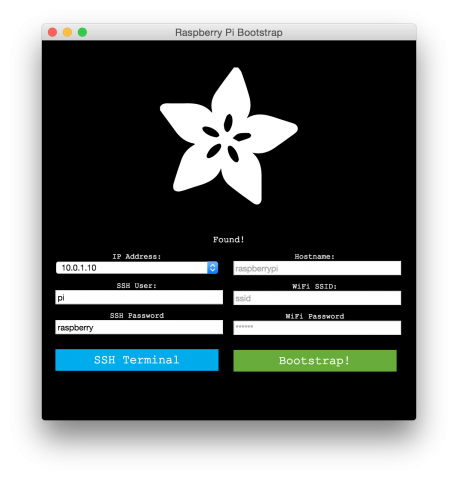
Their latest project is the Adafruit Pi Finder, which makes it easier to configure a Pi over a network. Check out the details on Adafruit’s blog.
In this “Will It Blend?” Tom takes on neodymium magnet balls. This is a fun one to watch because the balls spark up while flying around. Some really good slow motion replay work here.
If you aren’t familiar with “Will It Blend”, it is a video series presented by the blender maker Blendtec. Tom Dickson attempts to bend various items. Not only the star of the clips, Tom is also the Founder of Blendtec. You can find all their videos at willitblend.com.

Karl and Corey run The Spark Gap Podcast which is focused on embedded electronics. On Episode 25 they interview me about Capacitors. We covered all the major types of caps, plus some application bits. Check out their show notes for an impressive array of links on the subject.
Also, my favorite episode of theirs so far is episode 18. The guys talk about different serial protocols like SPI, I2C, CAN, etc. Really good stuff.
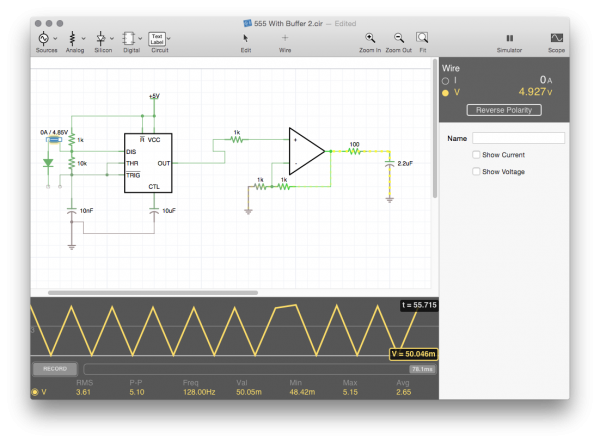
When it comes to schematic capture and circuit simulation on a mobile device, iCircuit for iOS got it right from the start. iCloud integration, intuitive touch controls, and fast application performance. Now (or Finally?), my favorite mobile circuit simulator, iCircuit, is available for OS X.
[featured-image single_newwindow=”false”]iCircuit is based on the Falstad Circuit Simulator, which sadly, is a Java-based web app. For years I’ve installed the App on my iPhone and iPad almost immediately after turning on iCloud [for Android users, that’s basically the first step of activating an iOS device].
