Category

Blog

Category

4 keys to getting electronics help for your project

When describing a person, do you ever use the phrase “their strength is their weakness?” That’s how I feel about Internet forums. The strength of forums is the collective knowledge of like-minded people, some with more experience than others. Sadly, that is also the weakness of Internet forums… Whether it is a topic-specific site like the EEVBlog Forum or an almost anything site like Reddit the strength/weakness holds true.

Lucky for us, most engineering-focus forums are a positive place to ask question and get electronics help.

If you ask better questions, you can get better answers. So, here are  4 proven tips to help ask better questions, when looking for electronics help.
Your IoT project needs one of these wireless modules

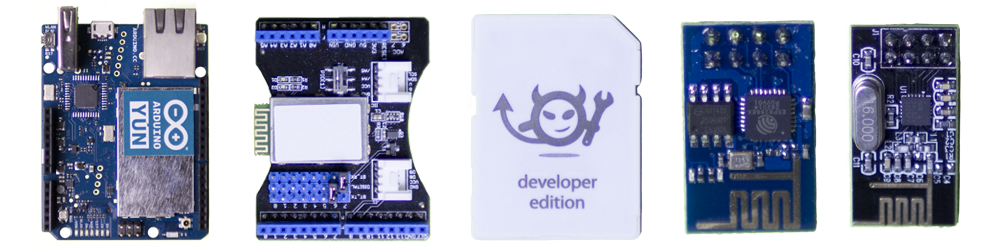
Getting your project connected to the internet is relatively easy these days. Here are five off the shelf modules that will easily add wireless to your project.

Back when I was in school, I remember spending an entire semester making a RF amplifier board. In fact, I had to use a pencil eraser to remove oxidation on the copper traces to remove an unwanted oscillation, caused by the impedance mismatch of the oxidation on the copper traces. Talk about tough.

These days, adding WiFi or Bluetooth is as simple as adding one of the wireless modules available. Or if you are using an Arduino, skip the modules and just add a shield.

Keep reading for 5 different wireless modules to consider for your project.

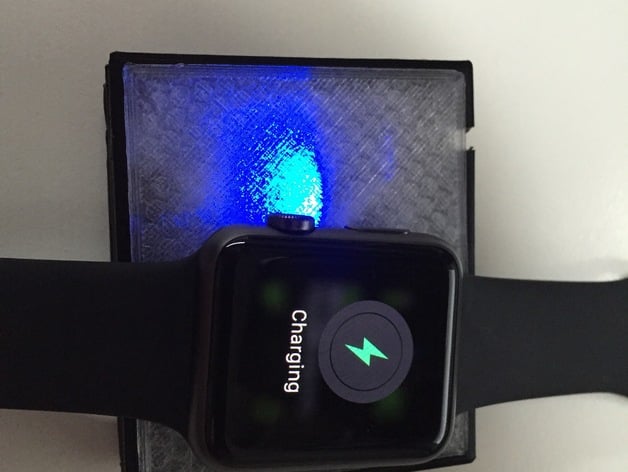
Apple Watch Charger on Thingiverse

Using an Adafruit Charger Board,  a cut-up magnetic Apple Watch Charger cable and some 3d printing, guypl has created a DIY battery-powered charger for the Apple Watch.

The cool thing about the design is that the 2000mAh battery he used, can be recharged with a standard micro USB cable. As someone who travels often, this setup is ideal for me. One less cable to carry and a self-contained charger for the Apple Watch.

Check out the full project on Thingiverse.


Learning to a breadboard is critical when adding electronics to a project. A skill often overlooked is how to use breadboard jumper wires correctly. For example, when I breadboard a circuit I only use Red, Green, or Blue for positive voltages and Black for ground. Other colors, it depends on the functions of the wire. The idea is to keep it clear when I look at the board, what each wire is doing.

This video from Make is a great overview of how to develop a skill, or habit, around using breadboard jumper wires in your circuit.

For more information, there is a short writeup on their web site as well.

Today “regular” people will start receiving their pre-ordered Apple Watch. Whether they spent $350 or over $10,000 dollars, they’ll now have a device that connects to their iPhone and tells time. Like their iPhone does. But with Bluetooth!

What if you don’t want an Apple watch, but want to celebrate a real computing achievement? Check out this video on an Apple ][ watch. Oh and it is real.

That’s right, this isn’t just some clever movie-magic hoax. Following this Instructable, you can build your own Apple ][ Watch.