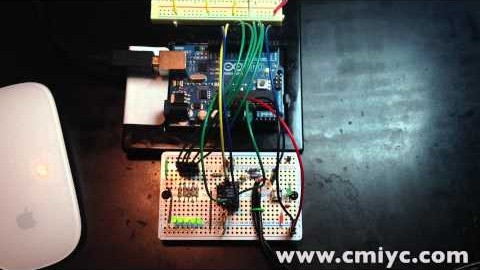
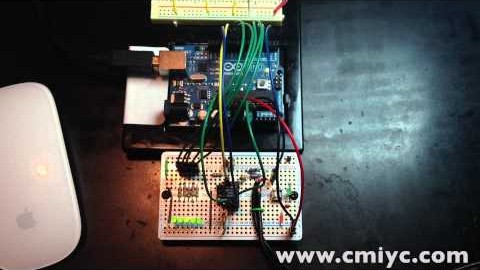
Putting music signal into the Analog Input of an Arduino can be pretty boring. That is, unless you use a totally awesome chip like the MSGEQ7. This simple Spectrum Analyzer driven with an Arduino only takes a handful of parts. I used these incredibly awesome protoboards from Adafruit for the first time. The protoboard alone gives a fit and finish even before it starts!
Abstract
Mixed Signal Integration has a cool little chip that has 7 built-in bandpass filters. Run an audio signal through it and you have an instant audio spectrum analyzer! This is a simple spectrum analyzer based on an Arduino. Each of the 5 LEDs represent a single section of the chip’s 7 sections of audio spectrum.
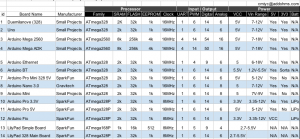
Can’t decide which Arduino Board is for you? Have a board you want others to know about? This Google Docs Spreadsheet compares some of the key attributes of various Arduino boards. Whether you are trying to decide which one to buy or just want to know the differences, this chart can help.
When getting started with the Arduino, the shear number of board options can be intimidating. While the variety is a great option, it can be daunting to a new user. Many people are afraid of selecting the wrong board, or their budget doesn’t allow for buying multiple boards. Just looking at the “official” boards listed on the Arduino.cc site, there are 14+ different Arduino board types to consider. Then there are a variety of 3rd-party boards with their own uniqueness.
This publicly editable Arduino Comparison Table is a one-stop place to compare key features of Arduino boards, such as Input Voltage, I/O Pins Available, and Connectivity options. Feel free to update information, make changes, or add new boards.
Visit the Google Docs Spreadsheet to use filters and sort by the various parameters.
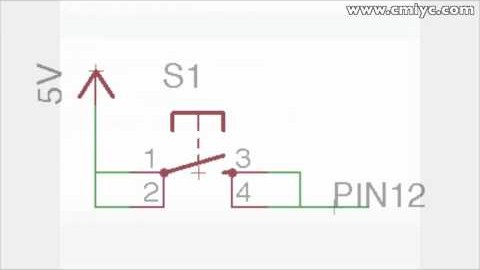
When hooking up switches or buttons to an Arduino I/O pin, sometimes the results might appear completely random. Sometimes it will appear as though there is a delay from when the button is pressed until the state of the pin actually changes. Other times the pin’s value will seem to randomly fluctuate from HIGH to LOW. Even more maddening might be as your finger gets closer to the switch, the pin’s state changes! The fix to these problems is simple: use the Arduino Internal Pull-up Resistor. Here’s how they can fix this problem and how you can use them with an Arduino board.