Category

Tutorials

Category

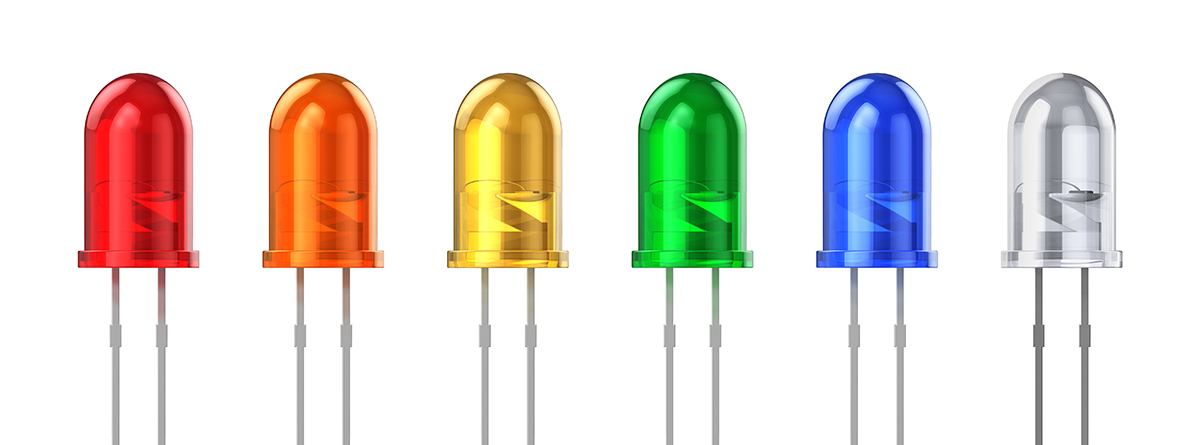
Nearly every consumer device makes use of the Light Emitting Diode (LED). This highly versatile device offers an easy way to add an indicator to any project while drawing a relatively small amount of current. Once their operation is understood, adding them to any project is a simple task. This tutorial is a simplified explanation of how a LED works and how to select a current limiting resistor. The LED tutorial here is enough to use LEDs in a project but is not intended to be a thorough explanation.


LED Anode and Cathode

On the Janurary 15, 2011 edition of Adafruit’sAsk An Engineer” live video chat, I heard LadyAda mention something about “Arduino Amnesia.”  After investing the situation a little further, it turns out there are some Issues with the new Arduino UNO Smd edition.

A bug in the new bootloader can be triggered on power-cycle causing the SMD version of the board to not load the previously stored sketch.  The good news is there is already a fix for the bug.  Either return the board to your Official Distributor or use a ISP to program the new bootloader.

Issues (if I could even use that word) like this makes Open Source Hardware fun!

After working through these exercises, check out this article on how to avoid rollover or reset mills().

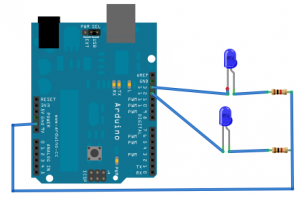
After learning how to flash a single LED on your Arduino, you are probably looking for a way to make cool patterns, but feel limited by the use of delay(). If you ask in the forums, you get told to look at the “Blink Without Delay” example. This example introduces the idea of replacing delay() with a state machine. If you’re confused how to use it, this tutorial is setup to take you from blinking two LEDs with delay, to using an alternate method, right down to how you can use millis().