
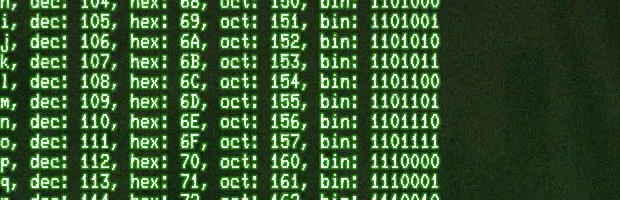
The Arduino IDE includes a “Serial Monitor” which is decent for basic serial communication. However, when you need real time serial interaction or data logging capabilities, that’s when one of these serial monitor alternatives can come in handy.
putty [Windows]
Download: PuTTY. License: MIT.
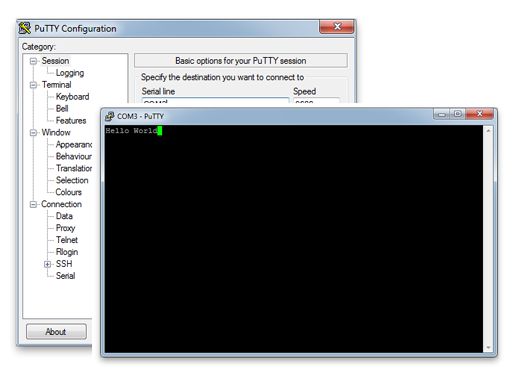
Hands-down one of my favorite terminal applications for Windows is PuTTY from Simon Tatham. In addition to being a great serial terminal it can also handle telnet, ssh, and a host of other things (no pun intended). The source is available and looks like it runs on UNIX platforms, but I have never tried. If you’re using Windows, this is probably your best go-to terminal application. Every Windows machine I use gets PuTTY in the Start Menu shortcuts.
Screen [Mac, Linux, Win]
Download: None (for Mac and Linux) License: GPL
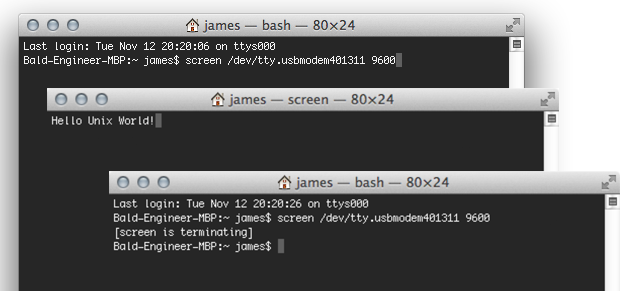
Screen is a command line based fullscreen VT100 emulator. It makes a create terminal client and has the ability to “detach” from the current terminal to run in the background. When it comes to serial communication, it’s the tool I used the most outside of the Serial Monitor. On Windows you will probably need to install Cygwin. On Linux and the Mac, you’ve already got it. Drop to a terminal and run screen.
screen <serial_port> <baud_rate>
Since it comes with all Unix systems it is hard to beat. Except, if you have a Mac. There’s one option that will beat it!
Cathode [Mac]
One of the coolest terminal emulators available is Cathode from Secret Geometry, which I’ve written about before (with video). It emulates old-school CRT monitors which sends any grey-bearded hacker (or soon to be) into a nostalgic frenzy. Which combined with screen can be super nerdy way to interact with your Arduino project. Go full screen and you’ll make new friends in your makerspace in no time.
It’s too beautiful for screen shots, so there’s a video of the Arduino ASCIITable Example.
Code For Testing Serial Monitors
To demonstrate screen and PuTTY, I loaded the following code on to my Arduino Uno. It sends back whatever characters it receives.
void setup() {
  Serial.begin(9600);
}

void loop() {
  while(Serial.available()) {
   char incoming = Serial.read();
   Serial.print(incoming);
  }
}
Conclusion
Use whatever serial application suits your need. There are plenty of other terminals you can use. What are some of the others you know about?