
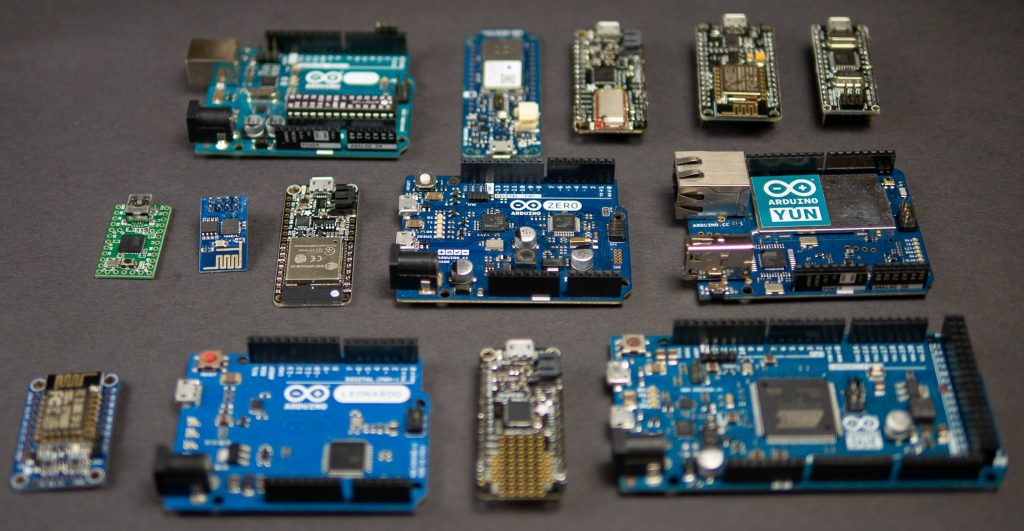
Looking through my parts boxes, I have counted at least 15 distinct “Arduino boards” in my collection. Either they are variants of the Uno form factor or they have different processors from the 8-bit boards. That number easily goes to 30 if I include boards with just the “Arduino header” on them. This pile of microcontrollers got me thinking, how does anyone ever choose the right board?

For example, I have had several people tell me the ESP32 is the “ultimate Arduino.” But is it? Well, yes and no. Extra hardware you do not need can lead to complexity and unexpected behavior. When using an advanced module like the ESP32, it is important to learn how to use sleep modes to limit current consumption, especially for battery applications. But if you need WiFi, Bluetooth, I2C, SPI, UART, and high-performance processing, capacitive touch, GPIO, and analog inputs then the ESP32 is an obvious choice.

As for the other boards, I have written a guide to picking the right Arduino. You can find it over on the Hackster.io blog.

Read: Picking an Arduino

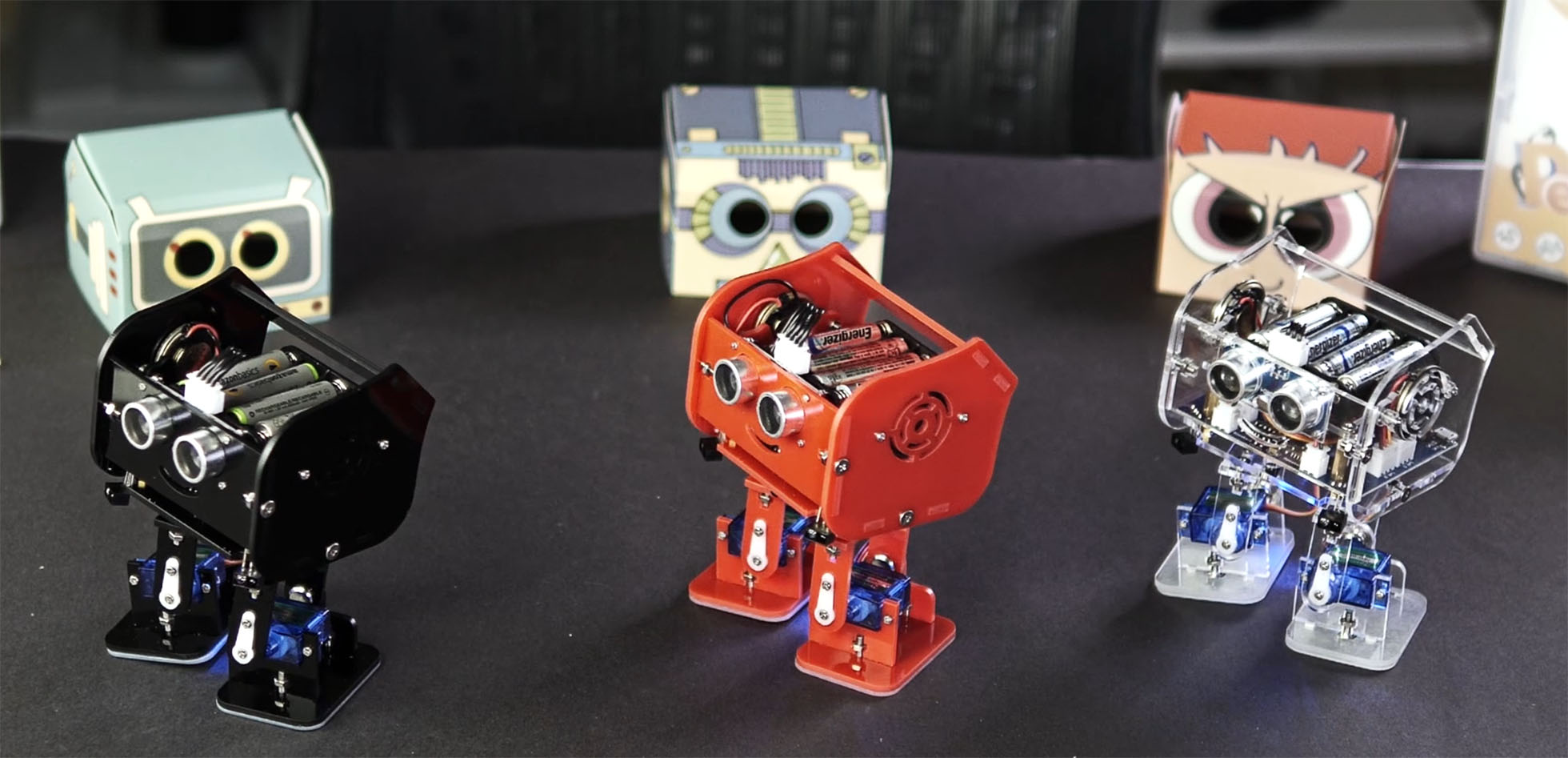
In the past, I’ve covered how to reset Arduino millis() and have provided a growing list of examples using millis(). While reviewing the code for the elegoo Penguin Bot, I was reminded of a millis() mistake I see often: addition. The only way to properly handle millis() rollover is with subtraction. Let’s look at why (and how.)

What is Arduino millis()

The Arduino library has a function called millis() which returns the number of milliseconds the processor has been running. On other platforms, you might see references to a “tick counter.” It is the same idea. A hardware timer keeps incrementing a counter at a known rate. In this case, that rate is milliseconds.

A mistake new programmers often make is trying to “reset millis().” A better method is to compare two time-stamps based on millis(). So this if-statement is comparing a previous timestamp to the current value of millis().

Recently I received three packages from Elegoo Industries. They are a company based in Shenzhen China. Before those packages, I noticed their name several times on various electronics kits on Amazon. They asked me if I’d help them with a video that shows how to assemble their latest creation: Penguin Bot.

There is not much point in sharing that video with you unless you’ve purchased one. So instead, here is my review, or hands-on, of the kit. I will, however, show you a short Instagram video I made to show off Penguin Bot’s cuteness.

https://www.instagram.com/p/Bn0MbnzHCYj

Learning to use a new oscilloscope can be daunting. In this video, I show 5 measurements you can make using just an Arduino as your DUT. Learn how to offset voltage, setup measurements, enable infinite persistence, save reference waveforms, AND trigger (and decode) serial signals. For this video, Rohde & Schwarz was kind enough to send me an RTM3004. This video is a follow-up from an ealier blog post which featured 6 scope measurements you can make with an Arduino.

Check out the AddOhms Episode 28 Show Notes for links related to the episode.

Watch On YouTube

Making tutorial videos and project videos is a very different process. It is very easy to script a tutorial. In fact, I think it is a necessary step. Project videos, on the other hand, are more organic. In this project, I build a capacitive activated coin bank, based on this Coin Acceptor from Adafruit. It uses an MSP430 to do capacitive sensing and then a Pryamiduino to control the rest of the electronics. In the end, I do some classic AddOhms special effects to demonstrate how the project works. For detailed notes and design files, hit the button below for the element14 project page.

Bank to the Future on e14
