Back when I worked for an Oscilloscope company, we were pretty proud of our differential probes. Even the “low-bandwidth” probes were still around 1GHz of bandwidth.
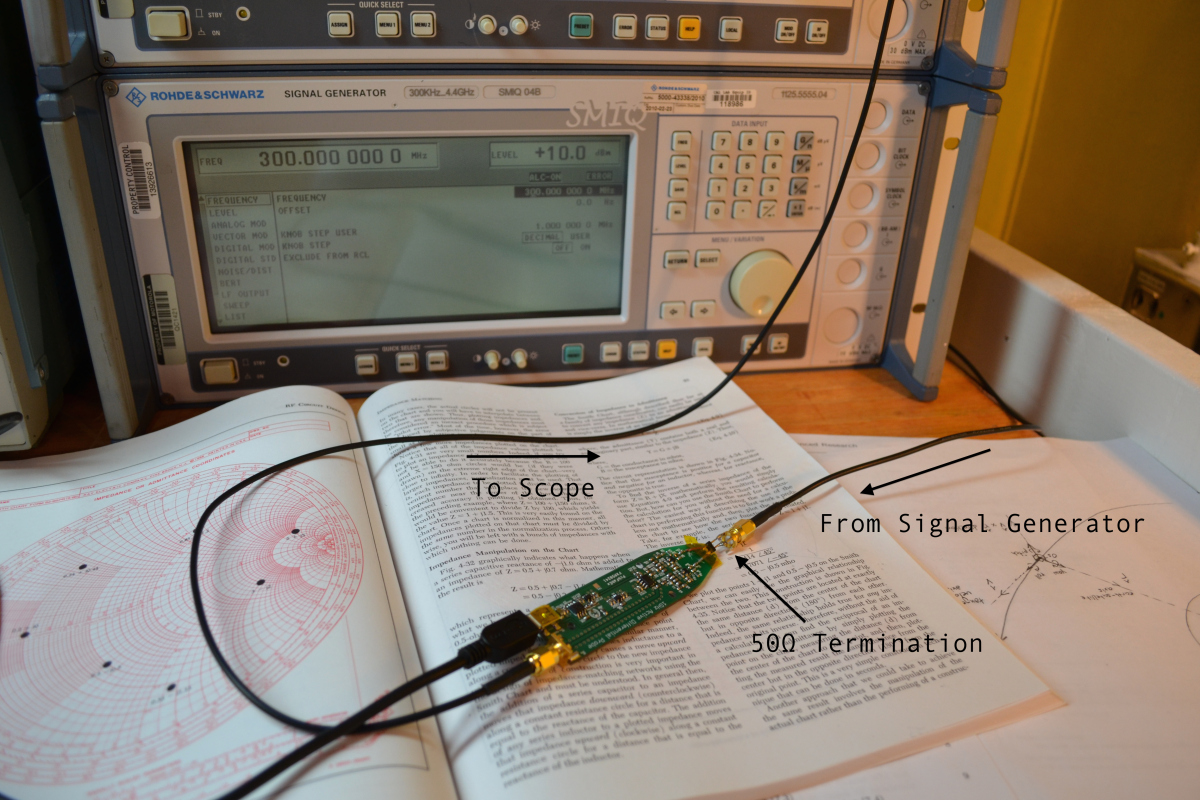
Daniel Kramnik built an active differential probe and looks like he is seeing about 400MHz usable bandwidth. And really, it looks relatively flat. Not bad for a DIY effort. I’m impressed.
Pretty amazing to think about the possibility of building your own (active) scope probes.
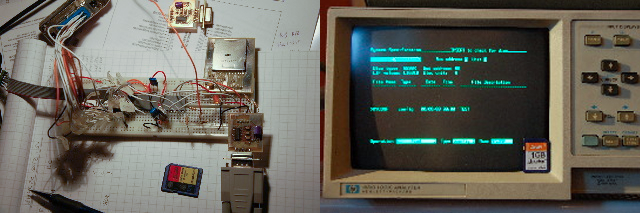
Popular on eBay are old test equipment like Spectrum Analyzers, Oscilloscopes, and Multimeters. HPDisk by Gustafsson Anders creates a virtual GPIB interface that stores data to a SD-Card.This is done by emulating a special HP disk drive, that some HP instruments know how to write to when connected. (As Anders points out, this is not emulating a built-in floppy drive.)
Long before USB became the standard I/O interface in the computing world, bench-top instruments used HPIB. This was the “HP Interface Bus” used by Hewlett-Packard in the early days of their test equipment. It enabled instruments to share data and be automated by “desktop computers”.
Eventually HPIB evolved into GPIB and the IEEE-488 standard was created. Until about 2000, most instruments supported a true GPIB/IEEE488 hardware connector. Slowly that evolved into USB-based virtual connectors (like a virtual serial port).
Go back to 1975. The idea of a computer at home was something that only happened in Science Fiction books. When the Altair 8800 was introduced, not only could you have a computer at home–you could build it yourself!
For some “computer” is a bit liberal. Based on the Intel 8080, the “computer” supported some toggle switches and LEDs on the front panel. As Gates explains in this video, there wasn’t even any kind of interactive terminal.
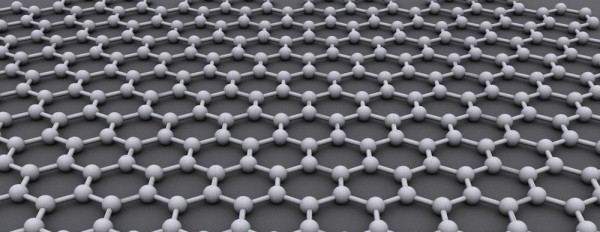
(“Graphen” by AlexanderAlUS – Own work. Licensed under CC BY-SA 3.0 via Wikimedia Commons)
Every day a new application involving the seemingly miraculous material Graphene is announced. For example, being in the capacitor industry, I am asked often if my employer uses it. Before answering the question, I usually have to explain what Graphene is and the challenges in producing it.
The lack of supply and limited (real) commercial applications leads me to think of it as Unobtanium… at least, for the near future.
Having good libraries in EAGLE is critical to making schematic capture and PCB design fast. Dave at element14 put together a top 10 library link, which includes the list below.
Like other websites, this one uses cookies to remember things. Mostly, I use Google Analytics to know how many people come here. ¯\_(ツ)_/¯
By clicking “Accept”, you consent to the use of ALL the cookies.
This website uses cookies to improve your experience while you navigate through the website. Out of these, the cookies that are categorized as necessary are stored on your browser as they are essential for the working of basic functionalities of the website. We also use third-party cookies that help us analyze and understand how you use this website. These cookies will be stored in your browser only with your consent. You also have the option to opt-out of these cookies. But opting out of some of these cookies may affect your browsing experience.
Necessary cookies are absolutely essential for the website to function properly. These cookies ensure basic functionalities and security features of the website, anonymously.
Cookie
Duration
Description
cookielawinfo-checkbox-advertisement
1 year
Set by the GDPR Cookie Consent plugin, this cookie is used to record the user consent for the cookies in the "Advertisement" category .
cookielawinfo-checkbox-analytics
11 months
This cookie is set by GDPR Cookie Consent plugin. The cookie is used to store the user consent for the cookies in the category "Analytics".
cookielawinfo-checkbox-functional
11 months
The cookie is set by GDPR cookie consent to record the user consent for the cookies in the category "Functional".
cookielawinfo-checkbox-necessary
11 months
This cookie is set by GDPR Cookie Consent plugin. The cookies is used to store the user consent for the cookies in the category "Necessary".
cookielawinfo-checkbox-others
11 months
This cookie is set by GDPR Cookie Consent plugin. The cookie is used to store the user consent for the cookies in the category "Other.
cookielawinfo-checkbox-performance
11 months
This cookie is set by GDPR Cookie Consent plugin. The cookie is used to store the user consent for the cookies in the category "Performance".
CookieLawInfoConsent
1 year
Records the default button state of the corresponding category & the status of CCPA. It works only in coordination with the primary cookie.
viewed_cookie_policy
11 months
The cookie is set by the GDPR Cookie Consent plugin and is used to store whether or not user has consented to the use of cookies. It does not store any personal data.
Functional cookies help to perform certain functionalities like sharing the content of the website on social media platforms, collect feedbacks, and other third-party features.
Cookie
Duration
Description
language
session
This cookie is used to store the language preference of the user.
Performance cookies are used to understand and analyze the key performance indexes of the website which helps in delivering a better user experience for the visitors.
Analytical cookies are used to understand how visitors interact with the website. These cookies help provide information on metrics the number of visitors, bounce rate, traffic source, etc.
Cookie
Duration
Description
_ga
2 years
The _ga cookie, installed by Google Analytics, calculates visitor, session and campaign data and also keeps track of site usage for the site's analytics report. The cookie stores information anonymously and assigns a randomly generated number to recognize unique visitors.
_ga_LHR6J24XSY
2 years
This cookie is installed by Google Analytics.
_gat_gtag_UA_42726312_1
1 minute
Set by Google to distinguish users.
_gid
1 day
Installed by Google Analytics, _gid cookie stores information on how visitors use a website, while also creating an analytics report of the website's performance. Some of the data that are collected include the number of visitors, their source, and the pages they visit anonymously.
browser_id
5 years
This cookie is used for identifying the visitor browser on re-visit to the website.
CONSENT
2 years
YouTube sets this cookie via embedded youtube-videos and registers anonymous statistical data.
Advertisement cookies are used to provide visitors with relevant ads and marketing campaigns. These cookies track visitors across websites and collect information to provide customized ads.
Cookie
Duration
Description
VISITOR_INFO1_LIVE
5 months 27 days
A cookie set by YouTube to measure bandwidth that determines whether the user gets the new or old player interface.
YSC
session
YSC cookie is set by Youtube and is used to track the views of embedded videos on Youtube pages.
yt-remote-connected-devices
never
YouTube sets this cookie to store the video preferences of the user using embedded YouTube video.
yt-remote-device-id
never
YouTube sets this cookie to store the video preferences of the user using embedded YouTube video.
yt.innertube::nextId
never
This cookie, set by YouTube, registers a unique ID to store data on what videos from YouTube the user has seen.
yt.innertube::requests
never
This cookie, set by YouTube, registers a unique ID to store data on what videos from YouTube the user has seen.