How to blink (or flash) a LED without delay() and detect button pushes

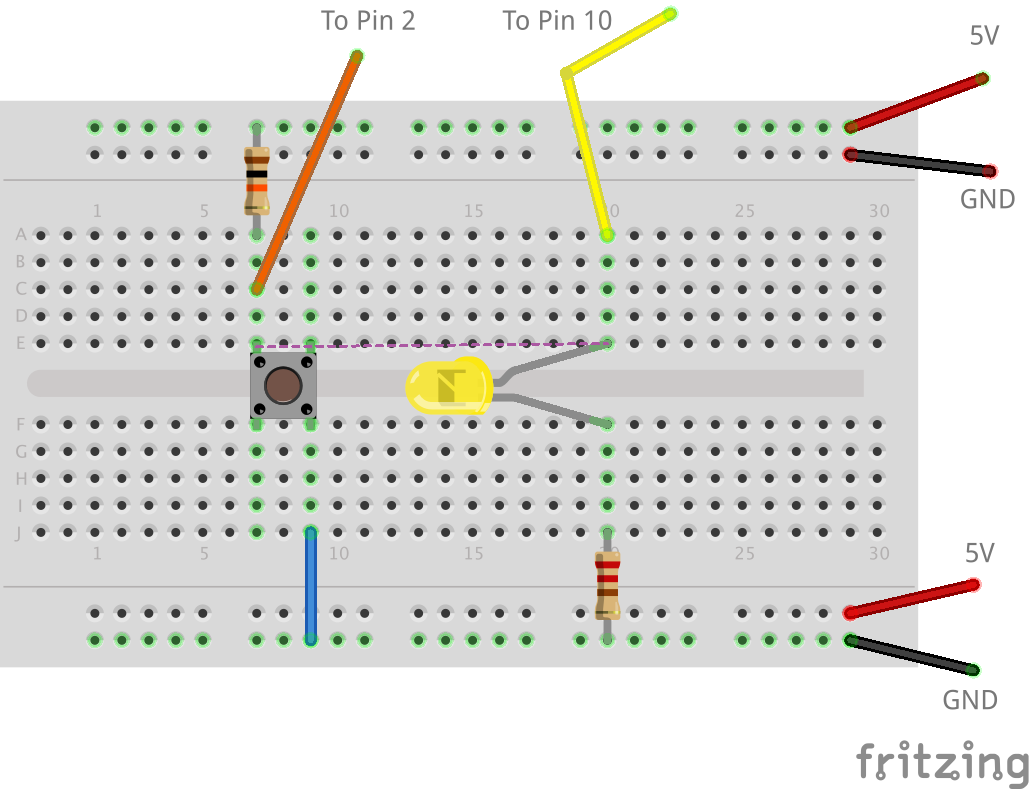
One of the limitations of the delay() function is that nothing else can really be done. This presents a problem when you want to flash a LED while waiting for a pushbutton to be pressed.

Flashing the LED with millis() and using a flag variable to find if the LED should be flashing solves this problem.

Consider this another example to my virtual millis() cookbook.

This code (below) should work with both Arduino (AVR) and Energia (supported boards), but to be honest, I haven’t had a chance to test it on my MSP430 yet.

Learning to a breadboard is critical when adding electronics to a project. A skill often overlooked is how to use breadboard jumper wires correctly. For example, when I breadboard a circuit I only use Red, Green, or Blue for positive voltages and Black for ground. Other colors, it depends on the functions of the wire. The idea is to keep it clear when I look at the board, what each wire is doing.

This video from Make is a great overview of how to develop a skill, or habit, around using breadboard jumper wires in your circuit.

For more information, there is a short writeup on their web site as well.

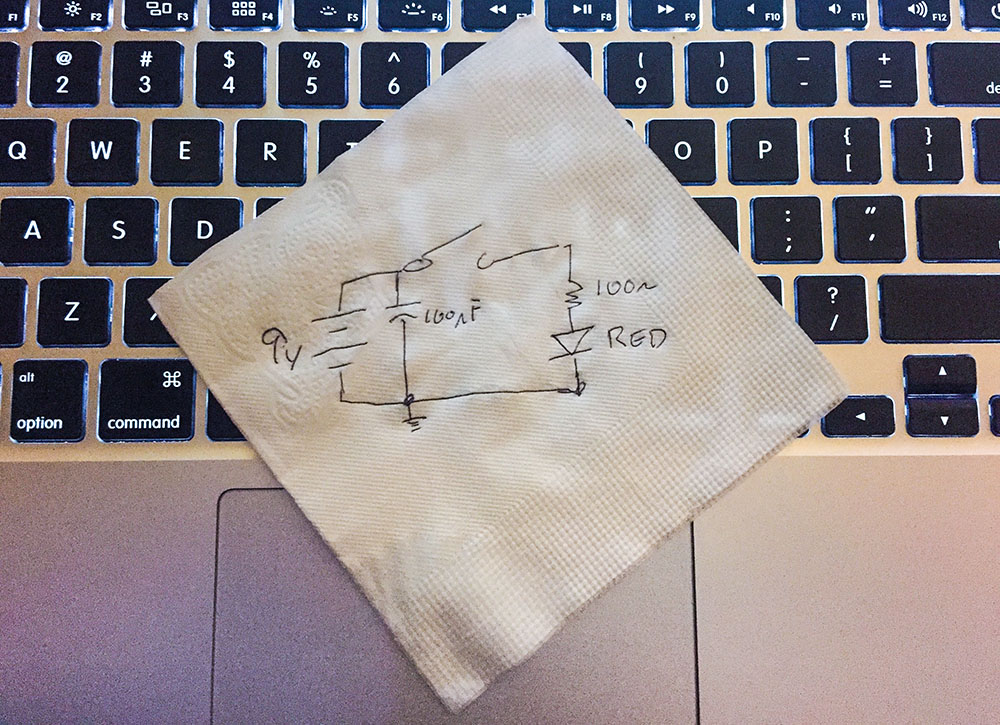
Engineers make a schematic to explain their circuits.

One time I was looking for a non-tourist pub in Japan. I asked someone for help. She said, “I’m sorry, but I do not speak good English. I will bring my friend, and she will draw you a map.” (Exact quote!) The map her friend drew, gave directions to a bar with a “Neon Yellow Sing.” She meant “sign.”

The map was the method we used to communicate with each other, even though we didn’t both speak English. With this crude but useful map, I could find my next drinking place destination.

Schematics are the same as this map. Even if you don’t speak the same language, you can communicate how a circuit works when you make a schematic.

Use one of these five tools, when you need to a document a circuit or when you need to ask for help.