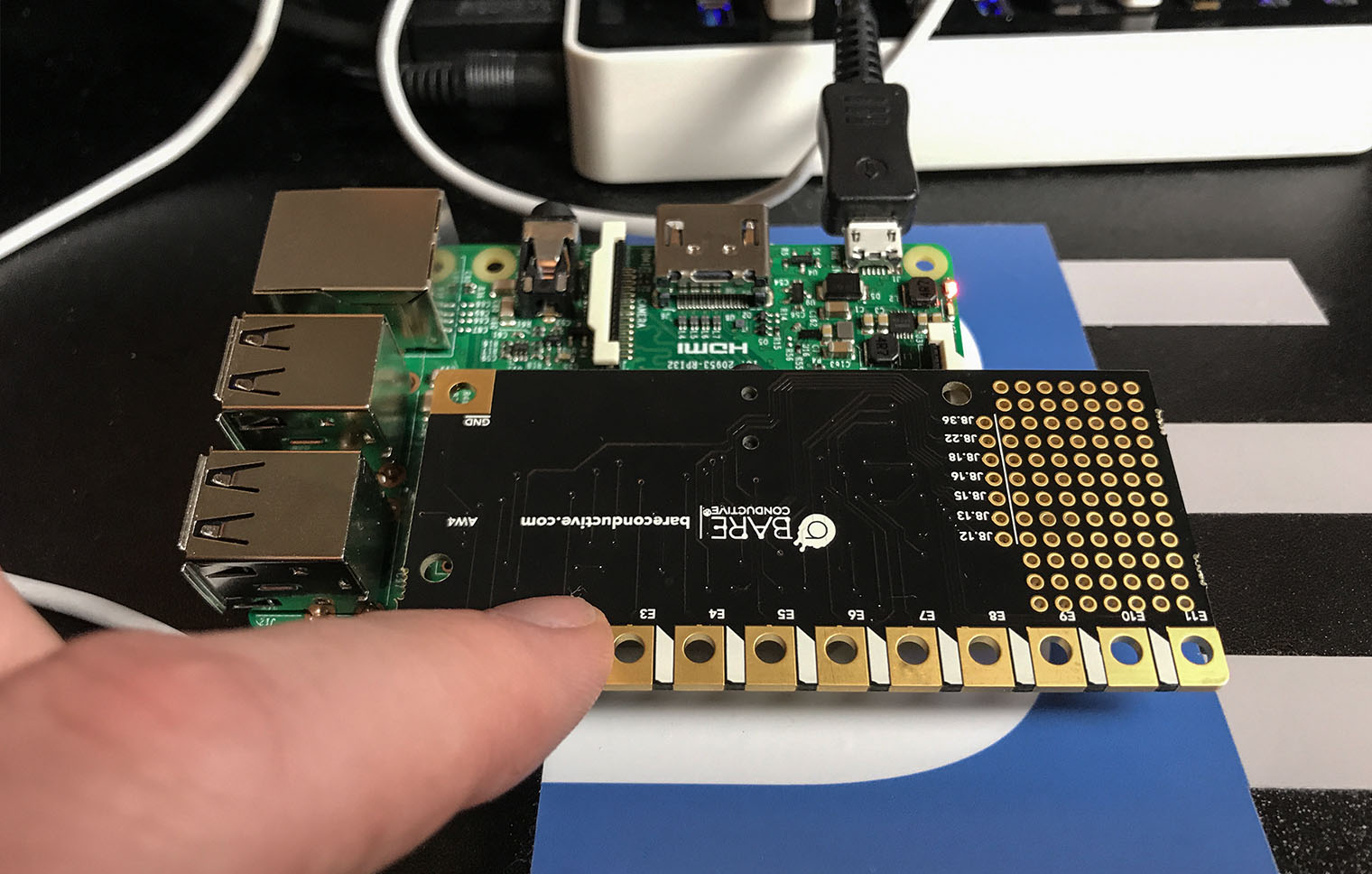
The Pi Cap adds capacitive touch buttons to your Raspberry Pi. Bare Conductive was kind enough to send me one. I do not have a project in mind right now, so here are my first impressions.

What is the Pi Cap?

Arduino tends to call daughter cards shields, while the Raspberry Pi community calls them hats. The Pi Cap is a hat. It plugs into the GPIO header of a Raspberry Pi and provides 13 capacitive touch pads. There is a traditional push button, an LED, and a prototyping area. While the Pi Cap does consume all of the GPIO pins, several are broken out near the GPIO header.

The first part of the tutorial looks inside of a Brushless DC Motor, or, BLDC. Then I show a discrete transistor circuit that can drive one. Of course, you’ll need a Microcontroller like an Arduino to drive it! Lastly, I briefly talk about an ESC.

Overall, a BLDC is better than a Brushed DC Motor (talked about those on #20) because:

  1. There are no brushes to wear out
  2. No sparks when the motor spins
  3. You can get way faster RPMs out of a BLDC.

Check out the AddOhms #21: Brushless DC (BLDC) Motors. Show notes are available here.

Previously, I reviewed the smartphone DMM, Mooshimeter. It is a great meter. One feature I didn’t spend much time on in my review was the ability to graph. Some see it as an “oscilloscope alternative.” The past couple of weeks, I’ve been using Aeroscope. It is a Bluetooth-based oscilloscope about the size of an older active probe. The Aeroscope runs $199 direct from Aeroscope Labs. The question I address in this Aeroscope review: is it better to buy this, a USB-based, or standalone scope for about the same money. How does it measure up?

My Aeroscope review looks at the specifications, the App that runs it and breaks down the key features. Let’s probe deeper.

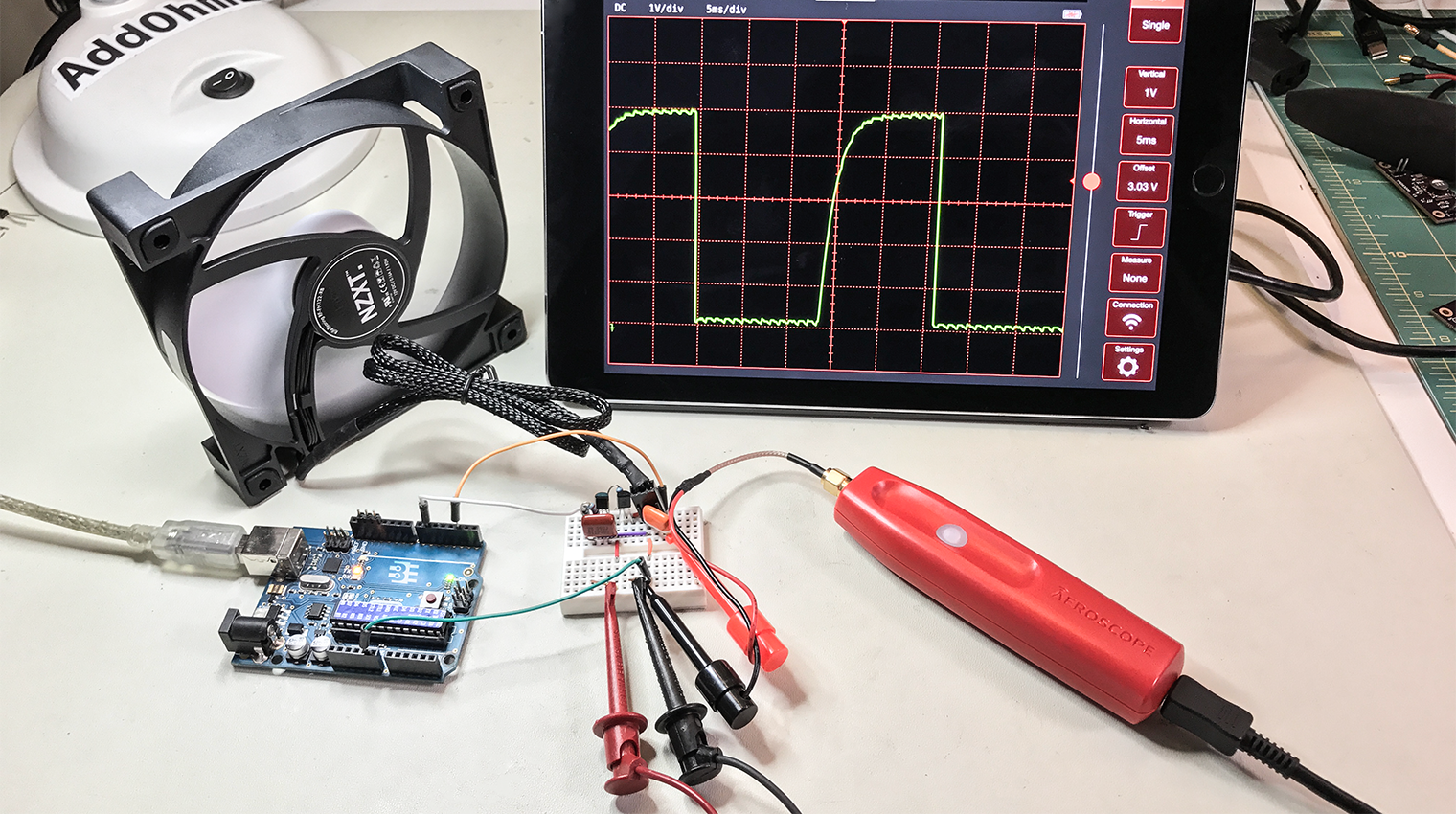
A question came up on IRC regarding how to PWM a 3-pin PC fan with an Arduino using analogWrite(). Controlling the fan was seemingly straightforward. The problem was that the hall effect sensor, or TACH signal, was incredibly noisy. The noise made it impossible to measure the fan’s rotation. Working through the question, I found three issues to tackle:

  1. You need to use a PNP transistor
  2. Filter capacitors help
  3. Create a non-blocking RPM measurement (with millis())

This post addresses all three issues regarding how to PWM a 3-pin PC fan with an Arduino.