Category

Tutorials

Category

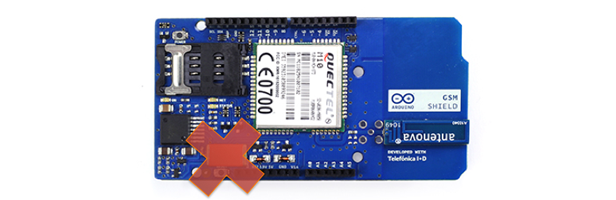
Tantalum is a really misunderstood capacitor. Well, all capacitors are misunderstood, but that’s a subject for another post. I ran across this post on the Arduino forums on the Arduino GSM shield. In the post, ddewaele, reports that the shield blew up, catching fire. At first some might think it was due to abuse by the user. While it is possible that reversing the polarity or applying over-voltage could cause a catastrophic failure, it is also possible that the user doing nothing wrong could result in the same failure mode!

Wait, what? So what gives? Well, there’s two things to understand. First, Tantalum doesn’t explode. It takes almost 2000°C before Tantalum metal will ignite. Okay, so if Tantalum doesn’t explode what is ddawaele seeing? It’s the cathode material, Manganese Dioxide, (MnO2) that is exploding…

The following resources compliment my EAGLE Introduction Classes and eBook.  Files mentioned in those resources will be provided here, although, the original creators may have newer versions available.

EAGLE Tutorials

These are EAGLE tutorials I have created.  There is a mix of written and video content.

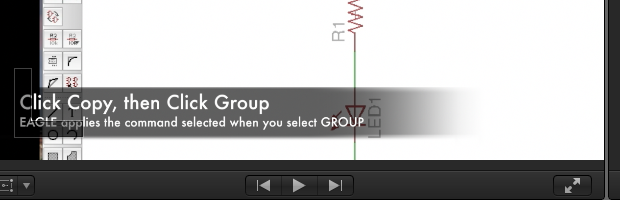
The concept of “cut copy and paste” goes back to a time when people hand wrote all of their documents.  The modern concept was introduced to the computing world by Xerox PARC and Apple’s Lisa / Macintosh    Now nearly every piece of software offers some level of copying and pasting, including CadSoft’s EAGLE  Schematic and PCB software.

Users of the ATmega328 based Arduino boards will recognize that the analogWrite() function doesn’t actually do anything analog.  It just sets the duty cycle of a pulse width modulated (PWM) signal.  The (new) Arduino Due board, which I have had limited time to play with, actually sports two Analog DAC channels.

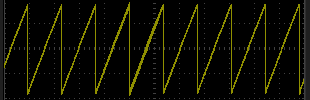
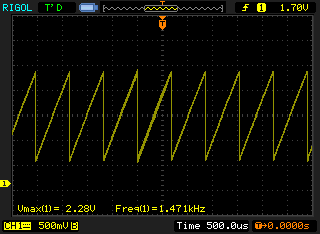
Using a very simple for() loop, it is possible to generate a sawtooth waveform using these channels.

As your schematics grow in complexity, it isn’t always possible to draw simple connections between chips or devices.  Sometimes it isn’t possible to put two parts next to each other like a pin header and I/O chip meaning that wires have to run all over the schematic to make the connection.   That gets messy quick and not very easy to follow.

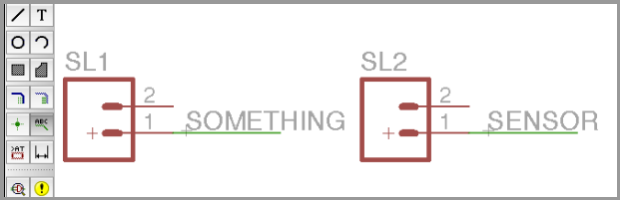
EAGLE automatically connects all nets (or wires) inside of a schematic when they have the same name.  This means even if they are not physically connected on the schematic giving them the same name will connect them together.  Using this trick, it is pretty easy to break up nets across the page.