Category

Tutorials

Category

When I was in elementary school, I remember Ms. Coker telling us we needed to memorize our multiplication tables because we wouldn’t always have a calculator.  Years later in college I was told, “learn to use the library, it’s not like you can carry the internet in your pocket.”

Buy On Tindie

Seems strange that I always carry 3 devices on me that do both.

Today a generation of people are growing up with the mass of all human knowledge available to them from birth. No formal education is necessary. And the only need is a modern device with WiFi.

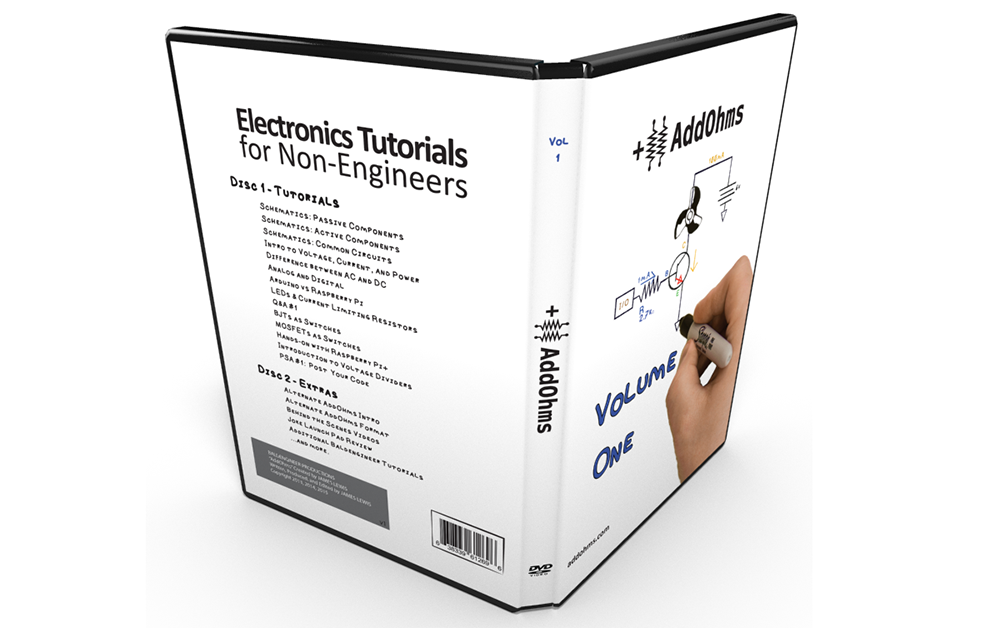
However. Not all accessible information is equal. Which is why I created the AddOhms Electronics Tutorial Video series. Instead of teaching Electrical Engineering as an engineer to other engineers, I’ve created a series that uses simple language to explain electronics to anyone.  And now the growing YouTube series, is available for sale on DVD!

Keep reading to learn more about Volume 1 of the AddOhms DVD.

Buy On Tindie

(P.S.  The first batch on Tindie were hand made and include a special thank you…)

When you first get started with a Raspberry Pi, there are a number of operating system images already available.  The one most people start with is Raspbian, which is based on Debian Linux.


Adafruit created a fork of Raspbian which they called Occidentalis.  Their aim, of course, was for hardware hacking with the Pi.  Included are some patches that help make accessing the breakout pins easier.

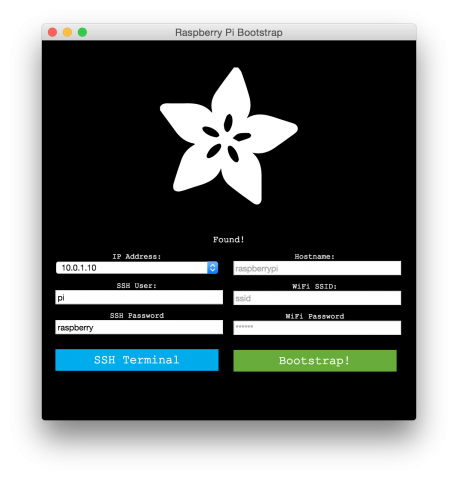
Their latest project is the Adafruit Pi Finder, which makes it easier to configure a Pi over a network.  Check out the details on Adafruit’s blog.

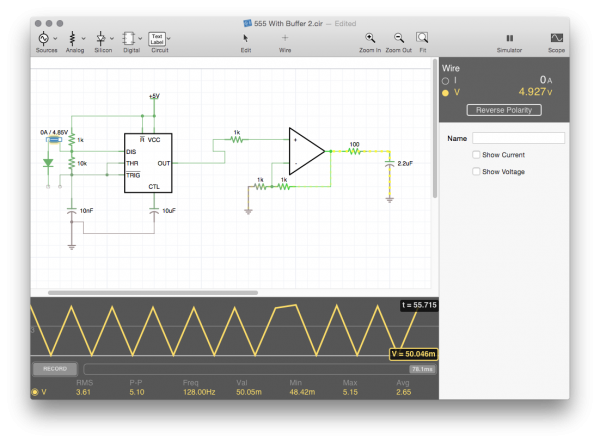
When it comes to schematic capture and circuit simulation on a mobile device, iCircuit for iOS got it right from the start. iCloud integration, intuitive touch controls, and fast application performance. Now (or Finally?), my favorite mobile circuit simulator, iCircuit, is available for OS X.

[featured-image single_newwindow=”false”]

iCircuit is based on the Falstad Circuit Simulator, which sadly, is a Java-based web app. For years I’ve installed the App on my iPhone and iPad almost immediately after turning on iCloud [for Android users, that’s basically the first step of activating an iOS device].

Having good libraries in EAGLE is critical to making schematic capture and PCB design fast.  Dave at element14 put together a top 10 library link, which includes the list below.

Remember, if you’re having trouble Add Parts, you might want to look at this tutorial on enabling EAGLE libraries.

  1. element14’s RIoTBoard
  2. element14’s Raspberry Pi Compute Module Development Kit
  3. element14’s BeagleBone Black
  4. Linear Technology
  5. Molex
  6. Vishay
  7. Microchip
  8. Atmel
  9. Arduino
  10. Texas Instruments

The Gecko Zero EFM32 Weather Station Evaluation Board from Silicon Labs is intended to show off the low-energy or energy harvesting capabilities of the EFM32 Zero.  The ARM-based board has physical and cap sensitive buttons along with the LCD.

It comes pre-loaded with a demo program, which is the classic Space Invaders.

If you’re interested in more about the board, I wrote a road test of Gecko EFM32 on element 14. (Spoilers: I wasn’t impressed.  Not a bad board, but rough development environment.)